
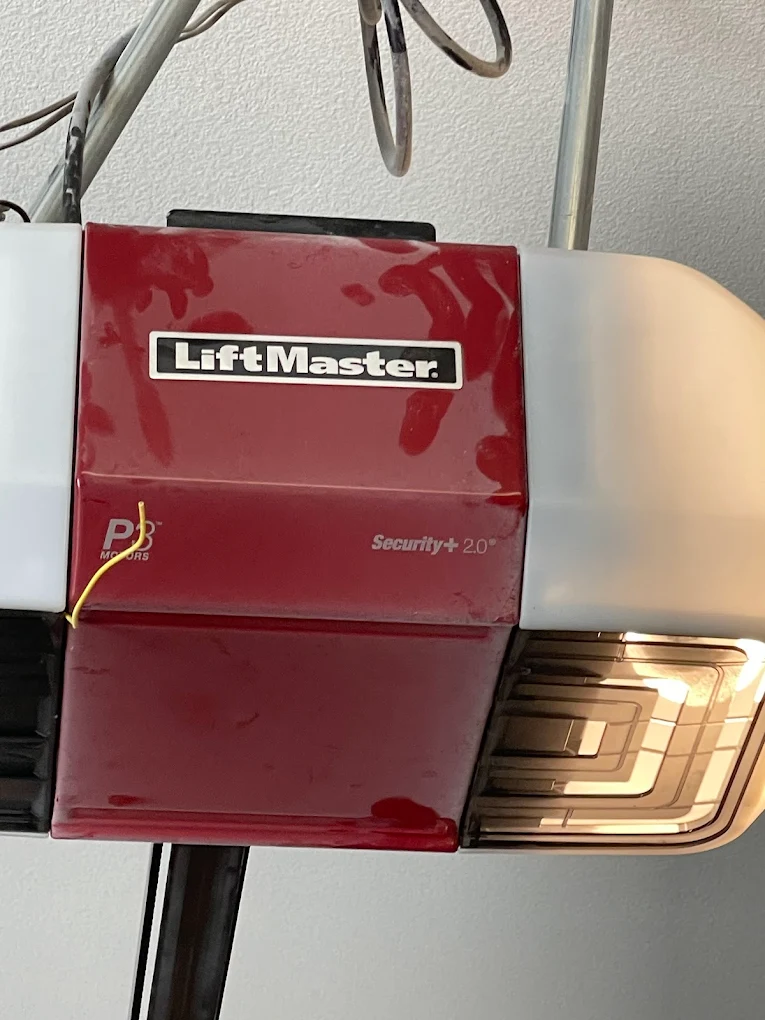
In Irvine, CA, a garage door opener can start acting strange for simple reasons like a power flicker, a settings glitch, or a remote that lost its pairing. When that happens, a reset can bring your LiftMaster garage door opener back to normal by clearing certain settings and letting you set them up again.
A reset is not always the first move, but it is one of the fastest ways to solve problems like remotes that stop working, myQ connection issues, or an opener that behaves differently than it did last week.
Before You Reset a LiftMaster Garage Door Opener
Resetting sounds simple, but it helps to know what changes and what does not. Many LiftMaster models use a “Learn” button to store remote and keypad codes. When you reset, you may erase those stored devices. That means your remotes, keypad, and sometimes your wall control settings can stop working until you pair them again.
A reset also will not solve every problem. If your door reverses, stops halfway, or the safety sensors are not aligned, a reset may not be enough. Those are often mechanical or safety-related issues that need checking first. As part of basic garage door maintenance, it helps to confirm the door moves smoothly by hand and the safety sensors are clean and aligned before you reset anything.
If you want a full list of the most common problems and what they usually mean, read Common LiftMaster Garage Door Opener Repair Issues.
Here are smart steps to take before you start:
- Unplug the power
- Clear door pathway
- Keep the ladder stable
- Keep your hands clear
- Check sensor lights
- Have a remote nearby
Also, decide if you want a “pairing reset” or a deeper reset. Most homeowners only need to clear paired remotes and keypads, then reconnect them. A deeper reset can also wipe Wi Fi settings and some customized features, which can be useful when myQ will not reconnect.
Identify Which Reset You Need
Not all resets do the same thing. Choosing the right type saves time and prevents extra reprogramming. If resets keep coming up as the solution, it can also be a sign that a garage door service inspection is needed to identify door or sensor issues behind the symptoms.
A common reset for a LiftMaster garage door opener is a “remote memory reset.” This clears stored remote and keypad codes from the opener’s memory. You usually do this when:
- Remotes stopped responding
- The keypad will not open
- The new remote will not pair
- Security concern exists
Another reset is a “power reset.” This is simply unplugging the opener, waiting, and restoring power. It can help after a power outage or flicker when the opener’s logic board gets stuck.
- Unplug for one minute
- Plug back in
- Retest the wall button
- Retest remote
A third type is a “Wi Fi reset” for openers with myQ features. This clears the Wi Fi connection so you can reconnect the opener in the myQ app.
- Clear Wi Fi settings
- Reconnect to the router
- Confirm app pairing
- Confirm a strong signal
If you are unsure, start with the least disruptive option. Power reset first, then remote memory reset, then Wi Fi reset if your main issue is connectivity.
If you want to see what a complete setup typically includes for homeowners in Irvine, read LiftMaster Garage Door Opener Installation for Homeowners.
Step-by-Step How to Reset a LiftMaster Garage Door Opener
Most LiftMaster units follow a similar process. The exact button color and light pattern can vary by model, but the core steps are consistent.
Step 1: Make the area safe
You will be working near a moving door system, so take a moment to reduce risk.
- Door fully closed
- Area well-lit
- Ladder properly placed
- Children kept away
Step 2: Locate the Learn button
On most LiftMaster openers, the Learn button is on the motor unit under the light cover or near the wiring terminals. It may be labeled “Learn” and may be paired with an LED indicator. Common Learn button colors include yellow, purple, red, green, or orange.
- Open the light cover
- Find Learn label
- Note LED indicator
Step 3: Clear the remote and keypad memory
This is the reset most homeowners mean when they say “reset the opener.” It wipes stored radio codes, so old remotes and keypads no longer control the opener.
- Press and hold the Learn button.
- Keep holding until the Learn LED goes out. This often takes about 6 seconds, but can vary slightly.
- Release the button after the light turns off.
- Hold the Learn button
- Wait for the LED to turn off
- Release after cleared
What this does: It clears paired remotes and keypads from the opener’s memory.
What this does not do: It does not repair sensor alignment, door balance, broken springs, or a jammed door track.
Step 4: Test the wall control button
After clearing the memory, the wall control button should still operate the opener in most cases. Press the wall control to confirm that the opener still runs the door. If the wall control does not work, you may have a power, wiring, or lock setting issue.
- Press wall control
- Watch opener lights
- Listen for the motor
Step 5: Restore devices one at a time
Now you will pair your remote and keypad again. Pairing slowly helps you avoid confusion about which device is working.
- Pair the remote first
- Pair the keypad next
- Test each device
Step 6: Do a quick safety check
A reset is a good time to confirm the door’s safety sensors work properly. With the door closing, carefully wave an object through the sensor beam near the floor. The door should reverse immediately.
- Confirm sensors aligned
- Test reversal response
- Clear sensor pathway
If the door does not reverse, stop using the opener and check the sensors first. Safety sensors protect pets, kids, and property.
Reconnect Remotes, Keypads, and Wall Controls After Reset
After you reset the memory, your remotes and keypad will not work until you pair them again. This part is usually quick.
If you are weighing repair versus replacement because problems keep coming back, read When to Repair or Replace a LiftMaster Garage Door Opener.
Reprogram a LiftMaster remote
- Press and release the Learn button on the opener. The LED should turn on or blink.
- Within 30 seconds, press and hold the button on the remote you want to pair.
- Release when the opener light flashes or you hear a click.
- Press Learn once
- Press the remote button
- Confirm light flash
If the remote does not pair:
- Replace the remote battery
- Stand closer to the opener
- Try a different button
Reprogram a LiftMaster keypad
- Press and release the Learn button.
- Enter your desired PIN on the keypad.
- Press the Enter button until the opener light flashes.
- Press Learn once
- Enter new PIN
- Press the Enter key
Wall control issues after reset
Most wall controls keep working after a memory reset, but if yours does not:
- Check the lock button
- Confirm wiring secure
- Confirm outlet power
If the wall control has a “Lock” feature enabled, remotes can appear broken even when they are fine. Turn the lock off and retest.
Reset myQ and Wi Fi Connection After a Reset
If your LiftMaster garage door opener has myQ, you may need to reconnect Wi Fi after certain resets, router changes, or app changes. In Irvine homes, the most common Wi Fi blocker is a weak signal at the garage, especially if the router sits on the opposite side of the house.
Start with basic Wi Fi checks:
- Confirm the router online
- Confirm 2.4 GHz available
- Confirm app updated
- Confirm a strong signal
Then reset Wi Fi settings on the opener if needed. Many LiftMaster models use a Wi Fi button, or you may use a Learn button sequence depending on the unit.
After Wi Fi reset:
- Open the myQ app and start the “add device” process.
- Follow the prompts to connect your phone to the opener’s setup network.
- Select your home Wi Fi and enter the password.
- Wait for confirmation that the opener is online.
- Start add device
- Join the setup network
- Select home Wi Fi
- Confirm online status
If it fails repeatedly:
- Move closer to the router
- Restart phone Wi Fi
- Reboot the router’s power
Sometimes a simple router reboot fixes the handshake problem, especially after a firmware update or power flicker.
Reset Not Working? What to Check Next
If you followed the steps and the opener still will not behave, the issue may not be reset-related. This is where troubleshooting helps you decide if you are dealing with a pairing problem, a safety problem, or a hardware problem.
Check power and basic controls
- Confirm outlet power
- Check the breaker switch
- Check the GFCI outlet
- Test wall control
If the opener has no lights and no sound, you likely have a power issue or a failed logic board.
Check the safety sensors
Sensors are near the floor on each side of the door. If they are misaligned, blocked, or the wiring is damaged, the door may not close or may reverse. Look for steady indicator lights. Flashing lights often mean alignment or connection trouble.
- Clear sensor path
- Align both sensors
- Confirm steady lights
Check travel limits and force settings
If the door closes, then reverses, or stops at odd points, travel limits can be off. This can happen after a door change, spring adjustment, or after the opener struggles against a sticky door.
- Door reverses early
- The door stops halfway
- The door hits the floor hard
Check the door itself
An opener can only do so much if the door is heavy or binding. A door that is out of balance can strain the opener and cause strange behavior that looks like an electronics issue.
- The door feels heavy
- The door sticks on the track
- Door jerks upward
When Professional Installation or Setup Helps
Sometimes, a reset is only showing you that the opener setup is not ideal for your door, your usage, or your home’s layout. This is common when a new opener is installed on an older door, or when a door was upgraded, but the opener was not matched to it.
Professional LiftMaster garage door opener installation can help if:
- The new opener was installed recently
- The door was recently replaced
- Opener struggles to lift
- Wi Fi never stays connected
A proper setup includes verifying the opener’s mounting, checking door balance, setting travel limits correctly, and confirming safety sensors and wall controls work as intended. It also includes confirming your remotes, keypad, and myQ connection are stable and secure.
Back to Smooth, Reliable Door Operation
If your LiftMaster garage door opener is acting up, a reset can be the fastest way to clear pairing problems and get your system responding again. The key is choosing the right reset, following the steps carefully, and testing each device after you reconnect it.
Ocean Coast Garage Doors helps Irvine homeowners restore reliable garage access by troubleshooting, resetting, pairing devices, and confirming the full system is operating safely and consistently. Contact us or give us a call.
Frequently Asked Questions
Can a reset erase all remotes from the opener?
Yes. When we clear the opener’s memory using the Learn button hold method, it removes all paired remotes and keypads, so we have to pair them again.
How long does a LiftMaster reset take?
For most homeowners, we can clear memory in under a minute, then pairing devices typically takes a few more minutes, depending on how many remotes and keypads you have.
Will a reset solve a door that will not close?
Not always. If the safety sensors are blocked or misaligned, a reset will not solve it. We would check sensor lights and alignment first.
Why does the wall button work, but the remote does not?
That often points to a remote pairing issue, a remote battery issue, or the wall control lock feature being turned on. We can test each one quickly.
Do I need to reset after changing the remote battery?
Usually no. We would replace the battery and test first. A reset is only needed if the remote still will not pair or respond. The EPA’s battery disposal guidance is a simple way to handle used remote batteries safely after replacement.
What if the Learn button does nothing?
If pressing Learn does not light the LED, the logic board could be failing, the unit may not have power, or the button could be damaged. We can help confirm the cause.
Can I reset myQ without erasing remotes?
Often yes. Many models allow a Wi Fi reset process that focuses on network settings. We can keep your remotes working while reconnecting myQ.
Why does the opener reverse after closing?
That can happen if the sensors are blocked, the door hits resistance, or the travel limits and force settings need adjustment. We would check the door movement and sensor alignment.
Should I reset the opener after a power outage?
A full reset is not always needed. We usually try a simple power cycle first, then test remotes and myQ before we erase anything. Ready.gov explains recovering from a power outage, which supports trying a power cycle and basic checks before erasing opener memory.
Is it better to repair or replace an older LiftMaster opener?
It depends on the age, safety features, parts condition, and how often issues return. If you want, we can review your situation and help you choose the best next step.


